Roofing estimating resource

Roofing Estimate Excel Template: What an Offline XLSX File Should Include

A roofing estimate Excel template is for the roofer who wants the estimating file on the machine, not trapped behind a bad signal. A good XLSX workbook should work offline, protect formula cells, keep inputs obvious, and export a clean proposal PDF without making the estimator wrestle with the file from the front seat of a truck.

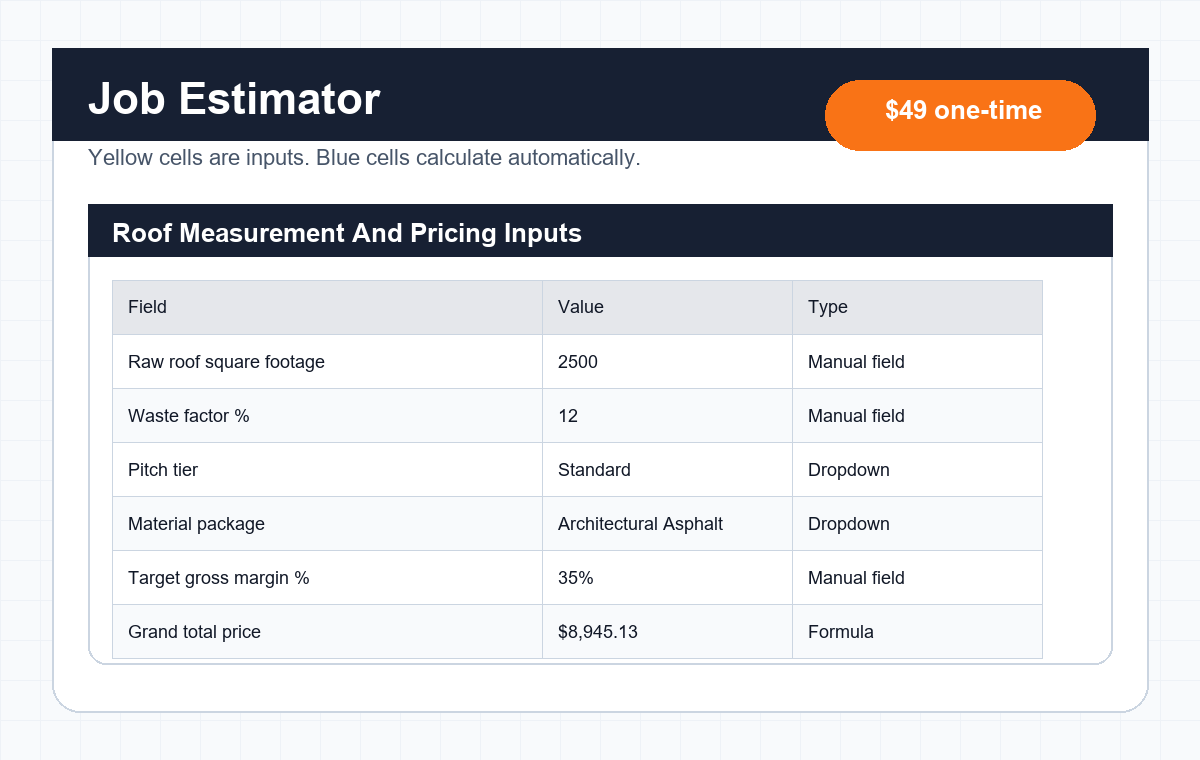
Roofing estimate Excel template preview with estimator rows and workbook tabs
A native Excel file should feel steady when the internet does not.

Quick answer: what a roofing estimate Excel template should include

Excel featureWhat it should doWhy roofers need it
Offline XLSX fileOpen and calculate without depending on a browser or live connection.Field estimating gets messy when the file only works in perfect Wi-Fi weather.
Protected formula cellsKeep calculations locked while leaving input cells editable.One deleted formula can turn a clean quote into an expensive little mystery.
Clear input cellsUse visible manual-entry cells for square footage, pitch, tear-off, adders, fees, and margin.The estimator should know where to type and where to leave the math alone.
PDF-ready print areaSet the proposal tab to export cleanly as a customer-facing PDF.The client should get a proposal, not a screenshot of spreadsheet chaos.

Working spreadsheet

Need the file behind the estimate process?

The Premium Roofing Estimating & Proposal Suite gives you the editable workbook: settings matrix, job estimator, formula map, and client proposal tab in one ZIP.

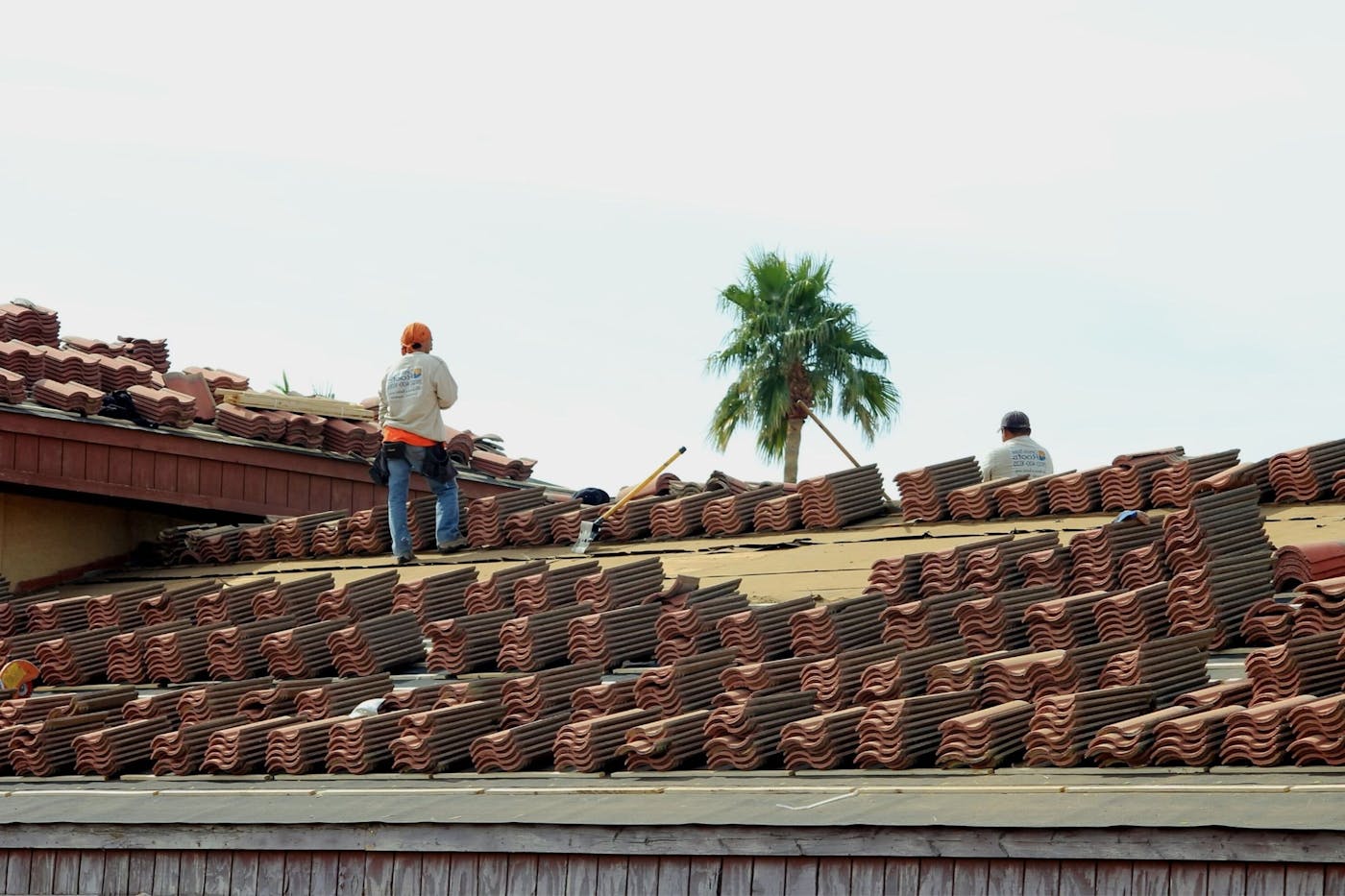
Roofing crew working before a roofing estimate Excel template is prepared
The jobsite does not care whether your cloud app feels inspired today.

Why roofers still use offline Excel files

Cloud tools are useful. Nobody needs to pretend otherwise. But roofers still use Excel because a native file is practical when an estimate has to be built from a laptop, a kitchen table, or a truck where the signal has disappeared into the woods.

A roofing estimate excel template gives the estimator local control over the workbook. The file can store material packages, labor rates, pitch multipliers, client proposal layout, and formula logic without waiting on a browser tab to behave.

That does not make Excel magic. It makes it dependable. And dependable matters when the homeowner wants a number, the crew needs the next job lined up, and the spreadsheet is the only thing standing between clear pricing and guesswork.

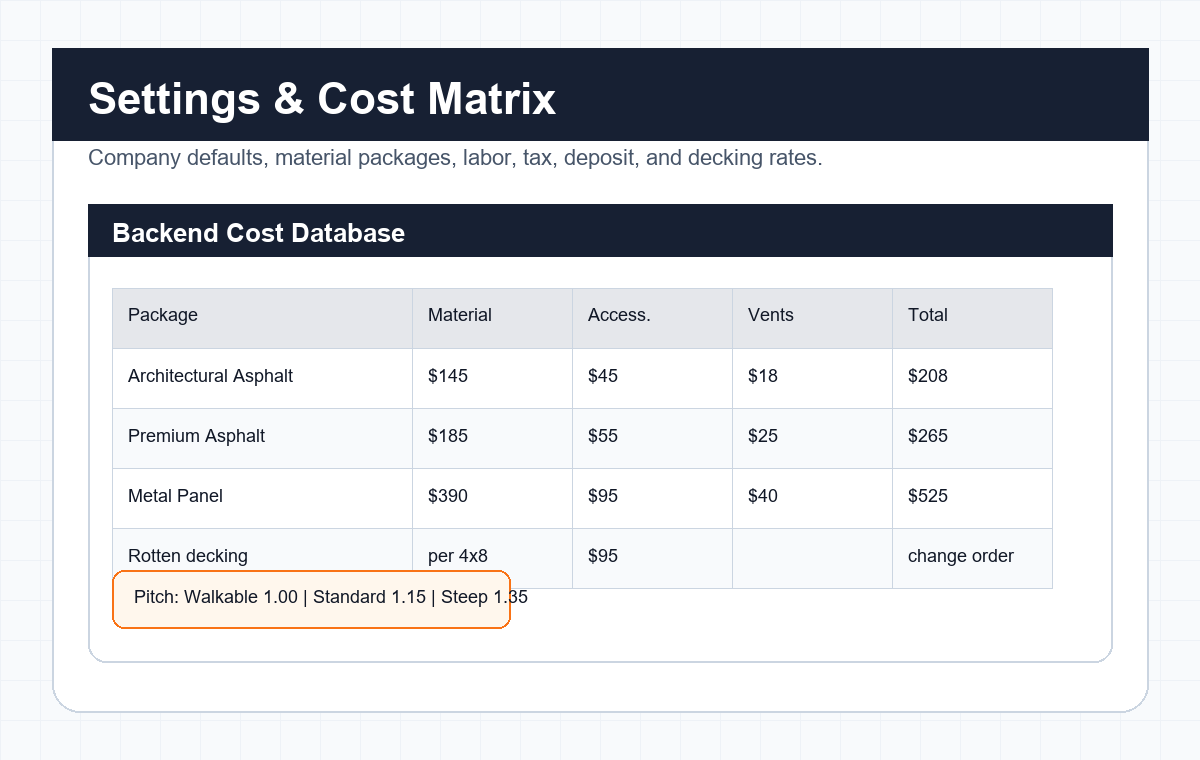
Roofing estimate Excel sheet settings matrix preview
A good Excel estimator keeps setup data and job inputs apart.

What makes a roofing Excel sheet different from a cloud spreadsheet

The content can look similar, but the workflow is different. This page is about the native XLSX version: file control, protected tabs, offline use, and print setup.

NeedNative Excel advantageWatch-out
Offline estimatingThe workbook can open, calculate, and save without an active connection.You still need a backup process so the latest version does not live on only one laptop.
Formula controlCells, sheets, and workbook areas can be protected so users do not casually break the math.Protection helps prevent accidents, but it is not a replacement for reviewing the file.
Proposal exportPrint areas and page setup can be tuned for a clean PDF proposal.If the print area is sloppy, the proposal can split across pages like it lost a fight with the printer.
File ownershipThe business owns the XLSX file and can store it locally.Version control becomes important once multiple people start copying it.

How to protect formulas without locking out the estimator

The basic idea is simple: leave the input cells editable and lock the cells that contain formulas. In a roofing template, the editable cells are usually things like square footage, waste percentage, pitch tier, material package, tear-off layers, adders, permit fees, and target margin.

In Excel, cells are locked by default, but the lock does not matter until the worksheet is protected. A normal workflow is to select the user-input cells, open Format Cells, go to Protection, uncheck Locked, then protect the worksheet so formula cells stay protected.

This is not about treating your sales rep like they cannot be trusted with sharp objects. It is about admitting reality: someone will eventually click the wrong cell between calls, delete a formula, and wonder why a $15,000 roof suddenly looks suspiciously cheap.

The Excel tabs worth protecting first

Not every part of the workbook needs the same level of protection. The goal is to make normal use easy and accidental damage harder.

TabKeep editableProtect
Settings & Cost MatrixCompany details, local costs, labor rates, tax assumptions, deposit percentage, and default terms.Section headers, formulas, lookup tables, and cells that should not be changed during a live estimate.
Job EstimatorYellow input cells for roof measurements, pitch, material package, tear-off, adders, fees, and margin.Measured squares, billable squares, material subtotal, labor calculations, final price, and profit formulas.
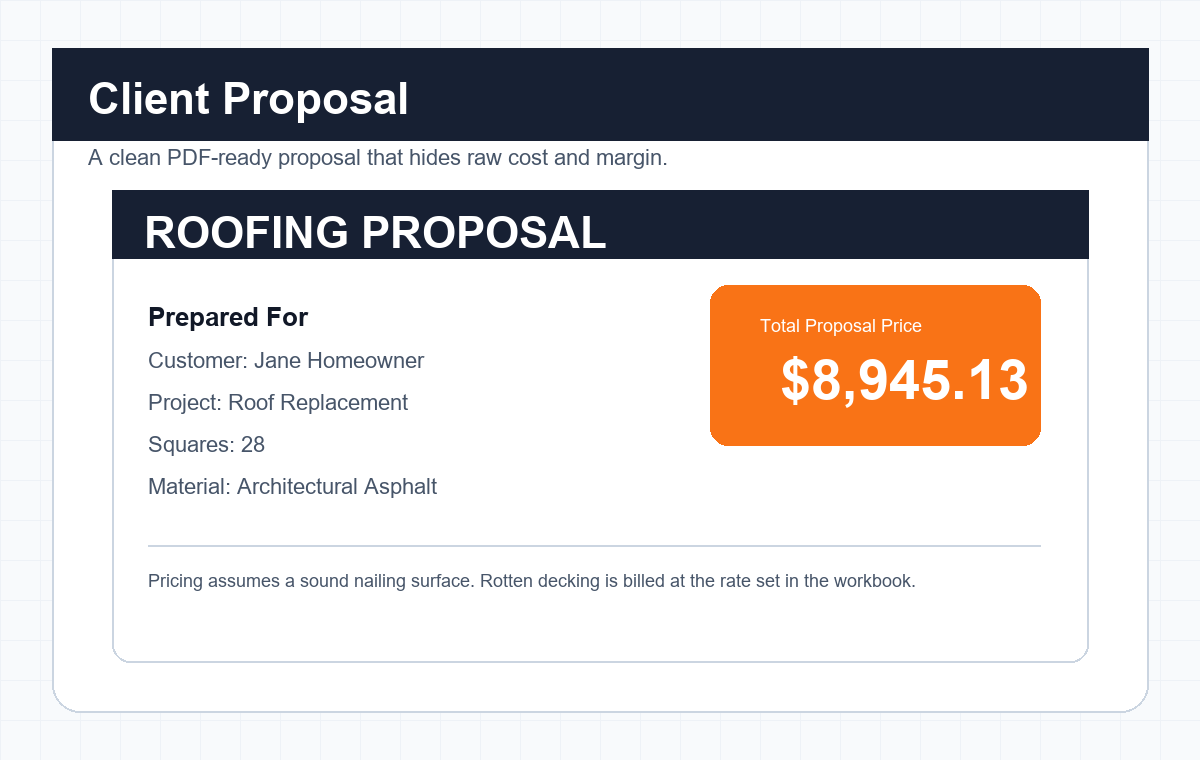
Client ProposalClient-facing notes that need job-specific review.Linked proposal fields, total price, deposit, mapped customer data, and print layout.
Roofing quote template Excel proposal tab preview for PDF export
The PDF export should look like a proposal, not a spreadsheet having a rough afternoon.

Set the proposal tab up for clean PDF export

The client-facing tab should be built like a document first and a spreadsheet second. That means hiding gridlines where appropriate, setting column widths, checking page breaks, and defining a print area around only the proposal content.

Excel lets you set a print area from the Page Layout tab. That matters because the customer should not receive three pages where the signature block wanders off by itself like it had somewhere better to be.

Before sending a proposal, use Print Preview or export a PDF and open the file. Check the company information, project address, scope, total price, deposit, notes, and approval area. If the PDF looks awkward to you, it will look awkward to the homeowner.

Roof details that can affect a roof estimate template Excel workbook
Little estimate details need a clean place to go before they become price problems.

Common Excel pitfalls in construction estimating

Excel is powerful, but it is not forgiving when the file process gets sloppy. These are the little mistakes that make estimating files age badly.

File names like Estimator_v2_FINAL_updated_actual_final.xlsx, which means nobody knows which file is safe.
Broken cross-sheet links after moving, renaming, or copying tabs.
Currency values typed as text, which can trigger formula errors or bad totals.
Users typing over formulas because input cells and formula cells look the same.
Merged cells in the proposal tab that make printing and editing harder than they need to be.
Old material prices left in a copied workbook after supplier costs change.
No backup copy of the clean master file before reps start using it.

Does an Excel roofing calculator work on mobile?

Sometimes, yes. But mobile should be treated as a review or light-editing option, not the main place to build a serious roofing estimate unless your team has tested the workflow carefully.

Small screens make spreadsheets tight. Dropdowns, print preview, protected ranges, and PDF export can be harder to manage on a phone. A tablet is better. A laptop is better than that.

If your estimator needs to build quotes in the field, test the exact device, Excel app, file permissions, dropdowns, formulas, and PDF export before trusting the file on a real sales call.

Excel estimate template vs Excel calculator

People search both terms, but they usually want slightly different things. A good roofing estimate Excel template can do both if the workbook is structured carefully.

Search phraseWhat the user probably wantsBest page angle
Roof estimate template ExcelA ready-to-edit XLSX document for creating a roof estimate.Focus on layout, tabs, printable proposal fields, and customer-facing structure.
Excel roofing calculatorA workbook that calculates squares, waste, labor, adders, and price.Focus on formulas, protected cells, and job input fields.
Roofing quote template ExcelA quote-style Excel file that can be sent or exported to the customer.Focus on approval terms, fixed scope, expiration date, and PDF export.

When an Excel file is not the right tool

Excel is a strong fit for small roofing teams that need a clear estimating workbook without buying a full software system. It is not the right tool for every job.

If you need live production scheduling, CRM history, multi-user permissions, automated material ordering, complex insurance estimating, or deep job-cost reporting, a workbook may need to sit beside dedicated roofing software.

A roofing estimate Excel template should make pricing cleaner. It should not pretend to replace judgment, measurements, contract review, local rules, or the person who knows the job.

FAQ

Can I use Excel for a roofing business?

Yes. Excel can work well for roofing estimates, quote layouts, proposal tabs, material calculations, and basic job pricing. It is best when the workbook has protected formulas, clear input cells, and a clean proposal export process.

How do I protect formulas in a roofing Excel sheet?

A common method is to unlock only the manual input cells, then protect the worksheet so formula cells cannot be edited by accident. You should still keep a clean master copy before anyone starts using the workbook.

Does a roofing estimate Excel template work offline?

Yes, a native XLSX workbook can work offline in desktop Excel as long as the file is stored locally and does not depend on external links or online add-ins.

Does this Excel template work on a mobile phone?

Some Excel files can open on mobile, but serious estimating is usually easier on a laptop or tablet. Test dropdowns, formulas, protected sheets, and PDF export on the exact device before relying on it in the field.

How do I export an Excel quote to a PDF for a client?

Set the print area around the client-facing proposal tab, check print preview, then save or export the workbook area as a PDF. Review the final PDF before sending it to the customer.

What should a roofing quote template Excel file include?

It should include customer details, project address, roof summary, scope of work, materials or package selection, total price, deposit, terms, expiration date, assumptions, exclusions, and approval fields.
Helpful outside references

Disclaimer: This is an Excel workflow and estimating resource, not legal, tax, accounting, insurance, or construction advice. Review formulas, local costs, tax treatment, deposit rules, file security, contract language, and proposal terms before using any workbook with customers.